Available on iPhone & iPad
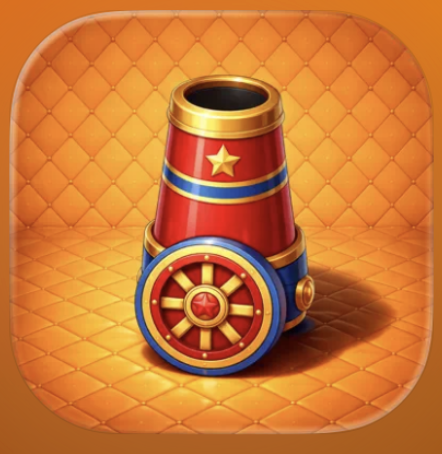
Carnival Wall Bounce App Icon

Carnival Wall Bounce for iOS

Free Ricochet Arcade Game for iPhone and iPad

Tap, aim, and master wall-bounce physics to match and pop falling balloons. One miss ends your run. Download free from the App Store and test your reflexes.

Download on App Store
4+ Age Rating
7.3MB Quick Install
Free No Cost

Built for iPhone and iPad

Carnival Wall Bounce arrives on iOS as a native, optimized arcade experience designed specifically for iPhone and iPad. The game leverages Metal graphics acceleration to deliver smooth 60fps ricochet physics even during intense multi-balloon sequences, while the touch-first control scheme eliminates virtual buttons entirely in favor of direct tap-and-drag aiming that feels natural on glass.

On iPhone, the portrait orientation keeps your thumb in constant contact with the lower screen area where the cannon sits, minimizing hand movement during rapid-fire sessions. On iPad, the landscape layout expands the arena width, giving you more horizontal room to calculate complex bank shots while maintaining the same vertical pressure as balloons fall. Both versions sync progress through iCloud, letting you switch devices mid-session without losing your high score streak or unlocked background skins.

The iOS build includes Haptic Engine integration on supported devices, delivering subtle tactile feedback when pellets hit walls or balloons pop, adding a physical dimension to the color-matching mechanics. Background App Refresh keeps daily challenge rotations updated even when the app is closed, and the entire 7.3 MB package installs in under 30 seconds on Wi-Fi, requiring no account creation or login to start playing immediately after download.

App Store Details

Developer Eduard Kukharyk
Version Latest
File Size 7.3 MB
Requires iOS 16.0 or later
Compatible iPhone, iPad, iPod touch
Age Rating 4+ Years
Language English
Category Action
Pricing Free
Last Updated 26.04.2026

How to Get Carnival Wall Bounce on iOS

Four simple steps from App Store to first shot

1

Tap Download Button

Tap the yellow button on this page to open Carnival Wall Bounce directly in the App Store. The link takes you straight to the official listing where you can review screenshots, ratings, and full details before installing.

2

Tap GET on App Store

On the App Store page, tap the GET button. Authenticate with Face ID, Touch ID, or your Apple ID password as prompted. The app is completely free with no hidden charges or subscriptions required.

3

Wait for Download

The 7.3 MB file downloads in seconds on Wi-Fi or cellular. A progress circle appears on your home screen as the app installs. No account creation or registration is needed before you can play.

4

Open and Launch

Tap the Carnival Wall Bounce icon on your home screen. The game loads instantly with no splash ads or forced tutorials. Start firing pellets immediately and begin your first run.

Get on App Store

Frequently Asked Questions

Common questions about the iOS version

Carnival Wall Bounce requires iOS 16.0 or later and runs on all iPhone models from iPhone 8 and newer, all iPad models from iPad 5th generation and newer, and iPod touch 7th generation. Older devices running iOS 15 or earlier cannot install the app from the App Store.
The initial download is 7.3 MB. After installation, the app occupies approximately 12 MB including cached data and saved progress. This makes it one of the smallest arcade games on iOS, easily fitting on devices with limited free storage.
Yes. After the initial download from the App Store, Carnival Wall Bounce runs entirely offline with no internet connection required. All gameplay, scoring, achievements, and unlockable backgrounds function without Wi-Fi or cellular data. Only iCloud sync requires a connection.
Yes. If you sign in with the same Apple ID on both devices and enable iCloud for Carnival Wall Bounce in Settings, your high scores, unlocked achievements, and background skins sync automatically. Progress made on iPhone appears on iPad within seconds when both devices are online.
The core mechanics remain identical, but the iPad version uses a landscape orientation with a wider arena layout, giving you more horizontal space for complex ricochet angles. iPhone uses portrait orientation optimized for one-handed play. Both versions deliver the same gameplay difficulty and feature set.
Yes. Once you download Carnival Wall Bounce on one Apple ID within your Family Sharing group, all family members can install the app on their own devices at no additional cost. Each person maintains separate progress and high scores.
No. The app requires iOS 16.0 or later, and iPhone 7 cannot update beyond iOS 15.8. The minimum supported device is iPhone 8. If you attempt to download on iPhone 7, the App Store will display a compatibility message preventing installation.
No. Carnival Wall Bounce is completely free with no in-app purchases, subscriptions, or hidden costs. All features, achievements, and background skins unlock through gameplay alone. The App Store listing shows "Free" with no additional purchase options.

Latest Updates for iOS

Recent improvements and fixes

Release Notes

Latest Version

Start Playing on Your iPhone

Free download from the App Store. No account required. Tap, aim, ricochet, and master the arcade chaos in seconds.

Download Carnival Wall Bounce

Requires iOS 16.0 or later • iPhone & iPad • Free • Age rating 4+ • 7.3 MB • English